The Bulk Schedule Readiness Report is provided to enable you to check that the system has been set up correctly in relation to:
•Standards;
•Questionnaires;
•Entities; and
•Auditors.
Procedure
1.Navigate to the Tasks menu on the Home page.
2.Click on the Bulk-Schedule Readiness Report menu.
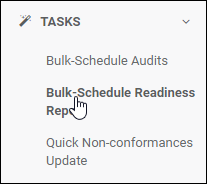
3.The Bulk Schedule Readiness Report page is displayed.
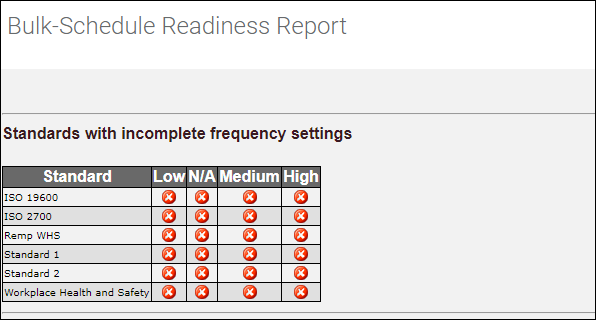
Standards with incomplete frequency settings
Standards with incomplete frequency settings make up the first part of the auto-schedule readiness report. This lists Standards that do not have Audit frequency settings configured. Audit frequency settings are used by the Audit Scheduler when creating new Audits.
Standards not linked to any Questionnaires
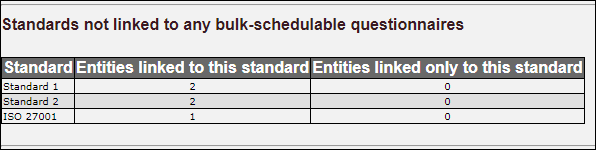
This section shows those Standards that have no Questionnaires linked to them.
Entities with incomplete standard settings
This section shows those Entities for which the standards are not fully configured.
